花了些时间用的GitHub 和 hexo 搭建了属于自己Blog,这里简单记录下搭建的过程吧。
简单介绍下hexo,hexo是一款基于Node.js的静态博客框架,可以理解为它是用node写的一个软件,用于根据你写的文章内容生成Blog的静态网页。生成好的网页是要分享给其他人看的,所以需要把生成好的网页托管到服务器上,可以自己买一个域名解析自己网页上。然而服务器,域名啥的太折腾,还是挂在github上吧,简单方便,关键是免费 ^_^
环境要求
这里只介绍mac 其她自行google解决吧 ^_^
如果没有安装 homebrew
安装 git
安装 node.js npm
安装 hexo
|
|
开始GitHub
首先在GitHub上申请自己的账号 https://github.com/.
建一个仓库为 :你的用户名.github.io
注:为了之后更新文章方便,可以将自己电脑的 ssh秘钥添加到github上。
开始Hexo
创建新文章
|
|
More info: Writing
启动本地可访问服务
|
|
More info: Server
生成你的静态文件
|
|
More info: Generating
发布你的文章到github上
|
|
More info: Deployment
注意:需要配置 __config.yml的deploy值,如:
hexo 主题 * Next
hexo 有很多丰富主题,也可以自己开发一套主题(有时间可以尝试下)
这里推荐一个nice的主题 Next Next开始文档
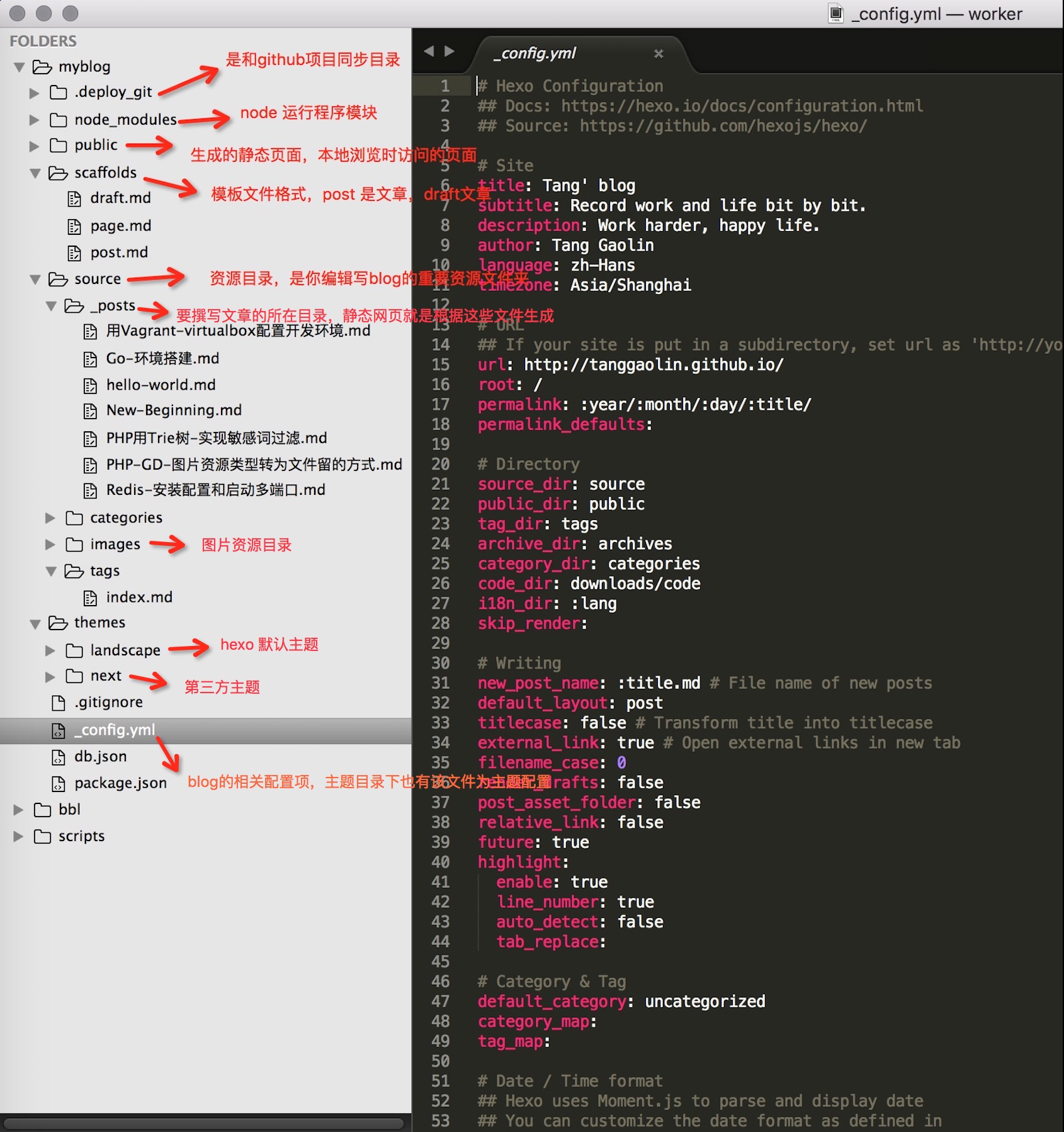
hexo 项目目录说明